
Delta Gamma Chapter
Welcome back,alumni.
Graduating does not end your time with Delta Gamma. A free account on this site keeps you close to the chapter you helped build.
What you get
What this site is for
One account covers all of it. There is nothing to pay and nothing to install.
Meeting minutes
A written summary of every chapter meeting, sent to your inbox and kept on the site so you can read back through them.
Newsletters
Every issue the chapter puts out, delivered by email when it goes out.
Events
See what the chapter has coming up, and RSVP to the events that are open to alumni.
Brother directory
Look up the brothers you pledged with, and the ones who came after you.
Family tree
Your bigs, your littles, and every line in the chapter since it started.
Chapter email
Ask for a ttdg.org address you can keep using as an alum.
Step by step
How to get started
Four steps, about five minutes. Here is exactly what each screen looks like.
- 1
Create an account
Go to the sign-up page and fill in your name, your email address, and a password. If you would rather not keep track of another password, use the Continue with Google or Continue with Apple button at the top and sign in the way you already do.
Use whichever email address you actually check. That is where every chapter email gets sent.
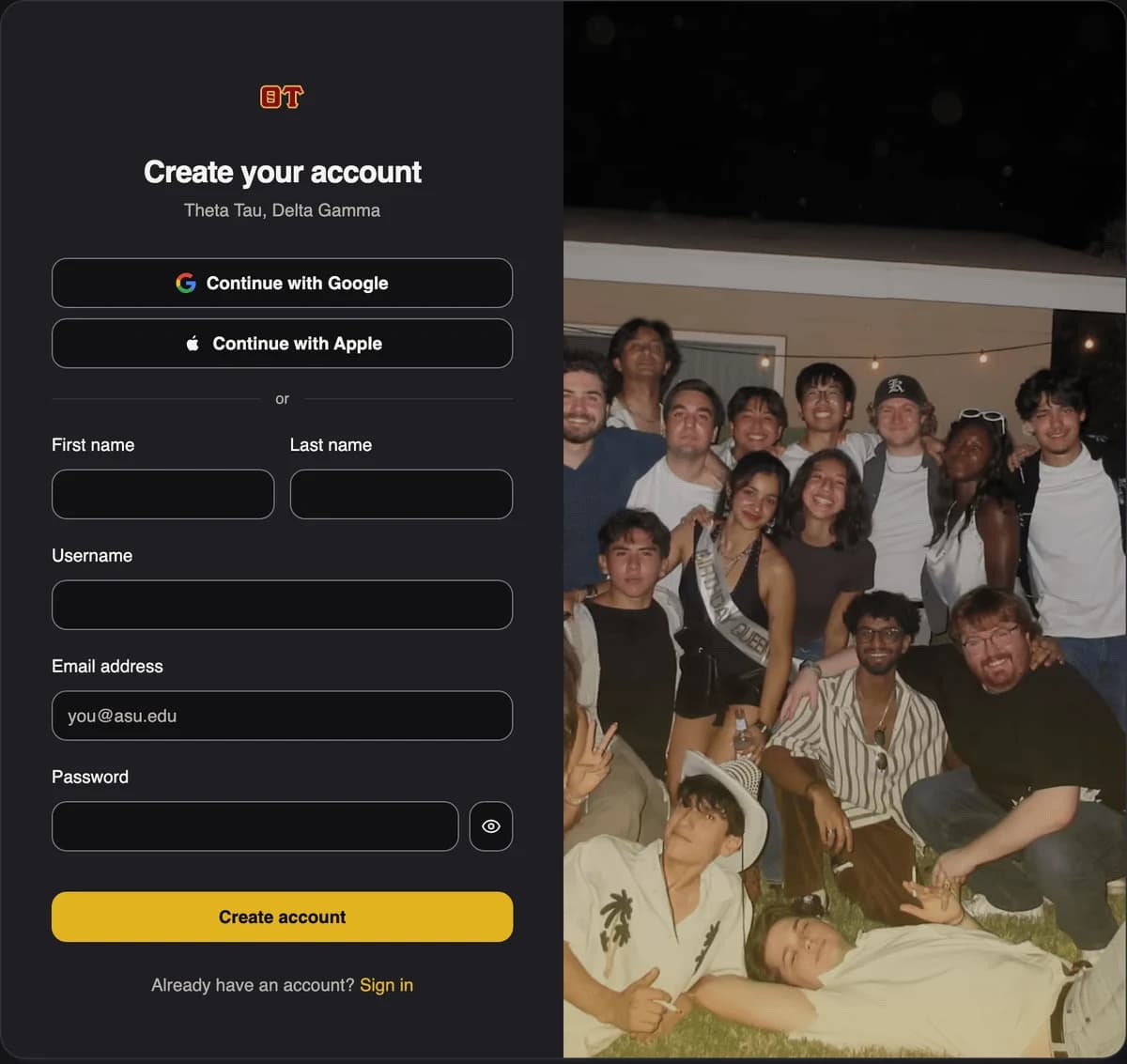
Step one: ttdg.org/sign-up - 2
Confirm your email address
We send a six digit code to the address you entered. Open that email and type the code into the box on the screen. If it has not turned up after a minute, look in your spam folder, or use the link to send a new code.
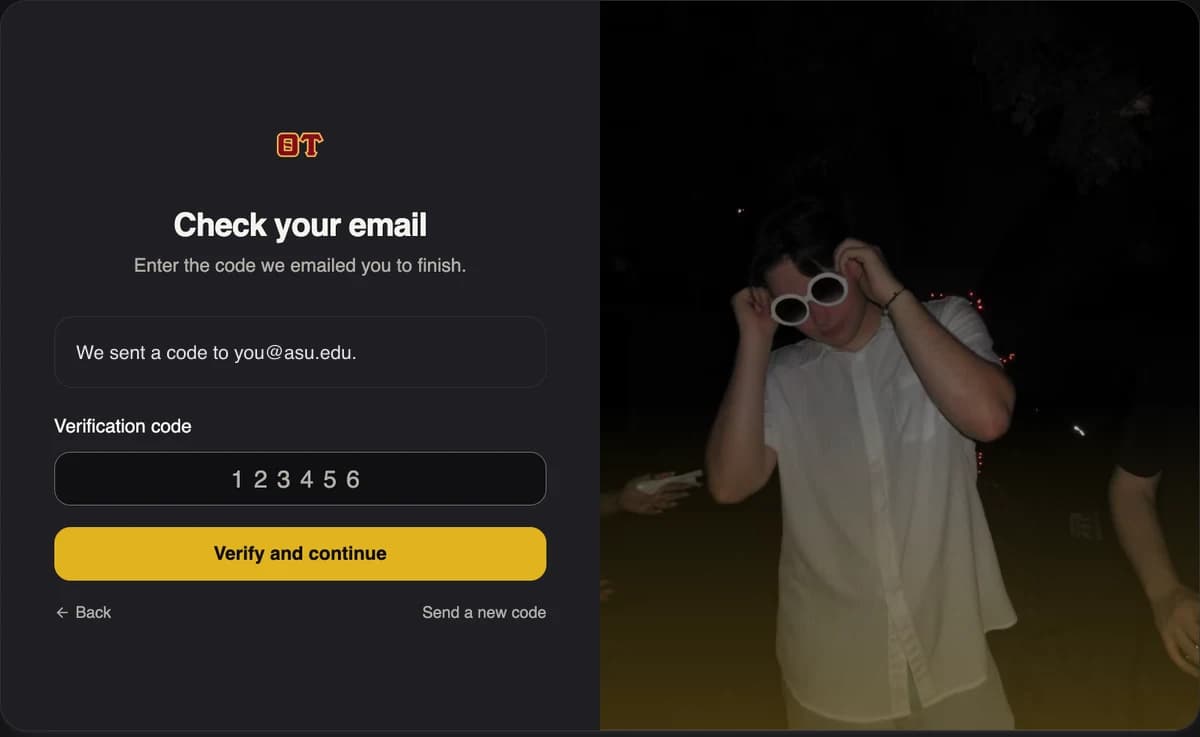
Step two: the code we email you - 3
Tell us who you are
Next comes a short form. Your roll number and a phone number are the only two things we have to have. Add your pledge class and graduation year as well if you remember them, since that is how an officer confirms you are a brother.
Make sure the box that says you are an alum is checked. Coming to this page from the button above ticks it for you. You can ignore the Discord box unless you want to join the chapter server.
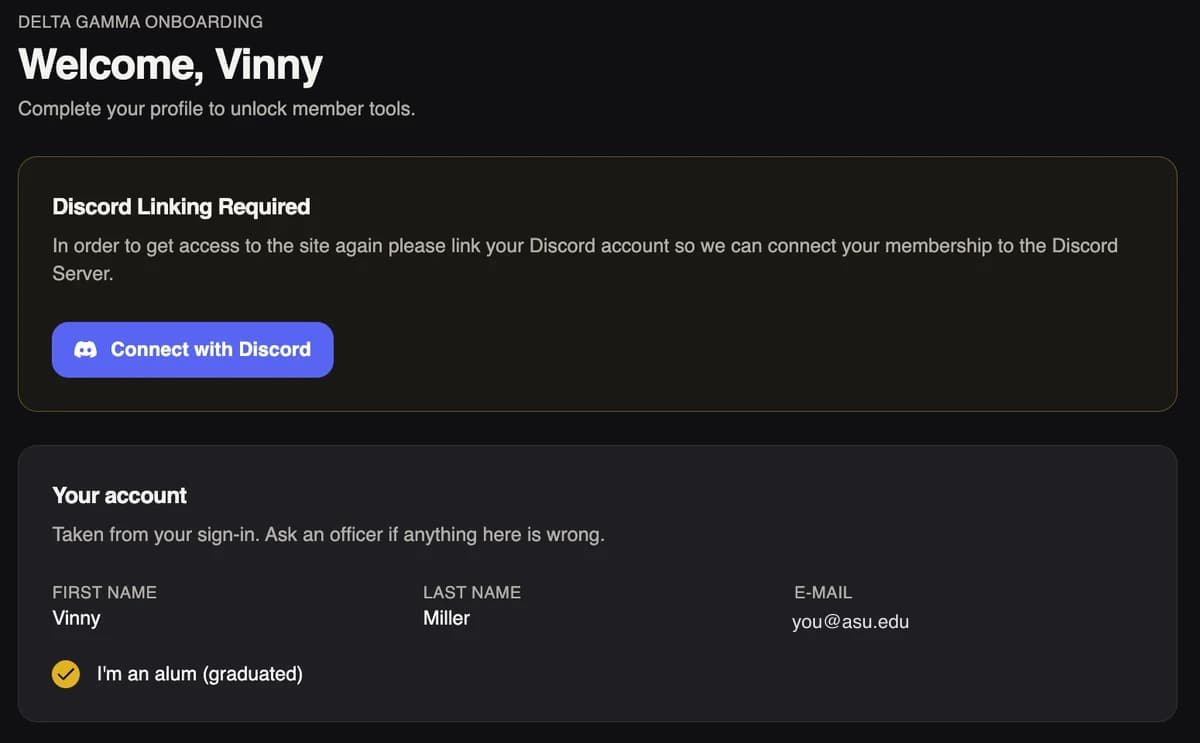
Step three: the profile form - 4
Wait for an officer to approve you
Your request goes into a queue that a real person reviews by hand, so it is not instant. Until then your account shows as pending and the member tools stay locked. Nothing else is needed from you.
Once you are approved, you are added to the minutes and newsletter lists automatically. There is no second form to fill out.
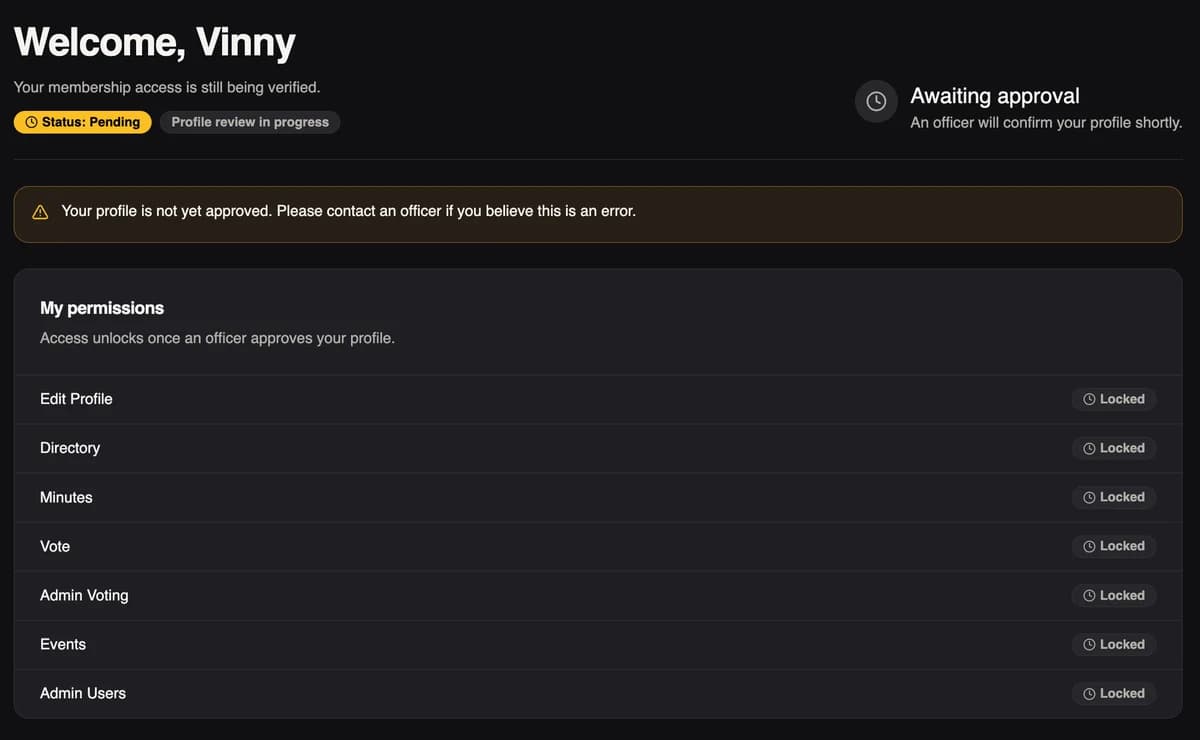
Step four: what you see while you wait
Stuck anywhere along the way?
Email general@ttdg.org and tell us where you got stuck. A brother will write back and walk you through it.